





Get iClone 8, Character Creator 4 (CC4) & all Plug-in
https://shrsl.com/4n99y
– 📢Join 2024 Reallusion 3D Contest (MAY 15 – SEP 01):
TOTALLY 3 URL(s) START…
Blender Pipeline | iClone 8 & Character Creator 4
https://rebrand.ly/9k6km03
CC Control Rig | iClone 8, Character Creator 4, Unreal Engine 5
https://rebrand.ly/edc2p8u
3D Contest | Reallusion iClone 8 & Character Creator 4
https://rebrand.ly/1wjwqyx
TOTALLY 3 URL(s) END…
Download iClone & CC Software+Plugin+Contents:
https://freedom3d.net/
Download FREE 3D Models FBX OBJ:
https://freedom3d.org/
Get 3D Software Tutorial:
https://freedom3d.art/
– Title:
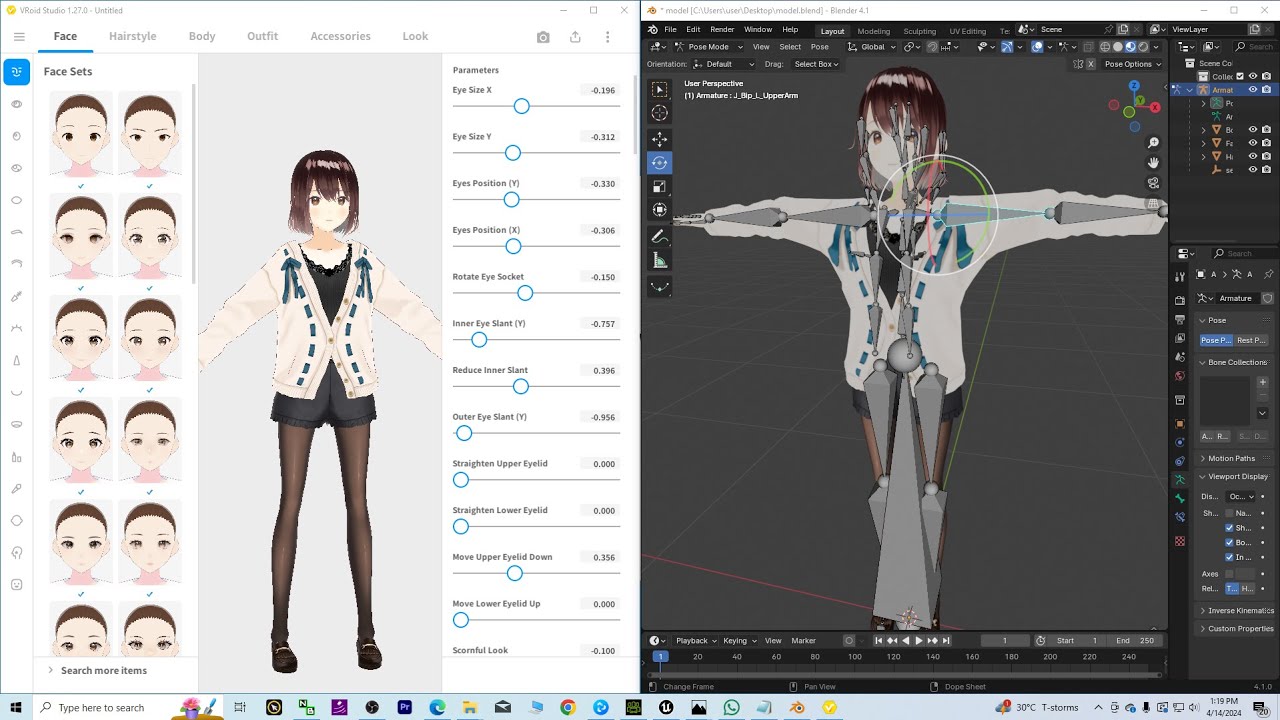
Vroid Studio (VRM) to Blender 4.1 Tutorial – Direct Method
Description:
Hey guys, how to import Vroid Studio VRM file to Blender 4.1? Vroid Studio is a software that can make unlimited 3D Cartoon Avatar for your Blender 3D Animation! This is my step-by-step tutorials on how to do this! ENJOY! and have fun! Happy 3D Modeling, 3D Animation + 3D Game Dev! ENJOY!
DOWNLOAD [VRM_Addon_for_Blender-release.zip]
https://gmstkuedutw-my.sharepoint.com/:u:/g/personal/401047245_gms_tku_edu_tw/EbM4MGUJ7HpOpWhrBHprqSoBN8zVOrdilcCZBP45HMt3YQ?e=37Ylma
Vroid Studio (VRM) to FBX (embeded texture) Tutorial
https://freedom3d.art/post-category/category-app-software/vrm-to-fbx-converter/
DOWNLOAD iClone 7 & 3DXChange 7 Pipeline:
https://shrsl.com/4etrp
DOWNLOAD iClone 8
https://bit.ly/3mLztLb
DOWNLOAD Character Creator 4
https://bit.ly/41tfvEp
DOWNLOAD all iClone 8 and Character Creator 4 Software + Plugin + Contents
https://bit.ly/IC8CC4
Freedom Arts 3D Reallusion Marketplace Products for iClone:
https://marketplace.reallusion.com/iclone/author/Freedom%20Arts
Freedom Arts 3D Reallusion Marketplace Products for Character Creator (CC):
https://marketplace.reallusion.com/character-creator/author/Freedom%20Arts
DOWNLOAD Blender (any version, all version!):
https://bit.ly/DownloadBlenderFreedomArts
DOWNLOAD Unreal Engine 5
https://bit.ly/UnrealEngine5FreedomArts
DOWNLOAD all 3D Software:
https://freedom3d.art/download-all-3d-software/
VISIT MY WEBSITE TO GET MORE 3D RESOURCES:
https://freedom3d.art/
FREEDOM ARTS 3D: 3D MODELING, 3D ANIMATION, 3D GAME DEV TUTORIALS, 3D CONTENTS, 3D MODELS COLLECTION!
SUBSCRIBE MY YOUTUBE CHANNEL FOR MORE 3D TUTORIALS & SHARING:
Freedom Arts – 3D Animation & Game Developer
My Youtube Channel URL: https://www.youtube.com/@FreedomArts3D
CONTACT ME:
My email: [email protected]
Send me a Facebook Message: https://www.facebook.com/messages/t/108187640914514
Join my Facebook group: https://www.facebook.com/groups/818222008952458
SUPPORT MY 3D CONTENTS & TUTORIALS SHARING:
Donate through Gumroad
https://freedomarts3d.gumroad.com/l/donate
Donate through Patreon
https://www.patreon.com/freedom3Dart
#Blender
#Vroid
#VRM
#CGI
#3DModeling
#3DAnimation
#GameDev
#Tutorial
#FreedomArts
vroid to blender,
vrm to blender,
vroid studio to blender,
Blender,
Vroid,
VRM,
CGI,
3D Modeling,
3D Animation,
Game Dev,
Tutorial,
Freedom Arts,
source


Leave a Reply
You must be logged in to post a comment.