





• Search Keywords

  • Tutorial Type


  • Software


  • 3D Skill


🚀 Speed Up Your 3D Workflow

💡 Used in my tutorials
💡 Tools I personally use

Stop wasting time switching tools.
Use the exact tools from my tutorials.

Freedom Animation Pipeline 9.1 (UE5.7)
Fastest way: Any 3D → Unreal Engine
Get the Plugin

Character Creator 5 (CC5)
Create pro-level characters in minutes
Download / Buy

iClone 8 Animation Software
Real-time animation made easy
Download / Buy

Meshy AI (Image → 3D)
Turn any image into a 3D model instantly
Try Now!

Tripo AI (Image → 3D)
Powerful AI 3D generator
Try Now!

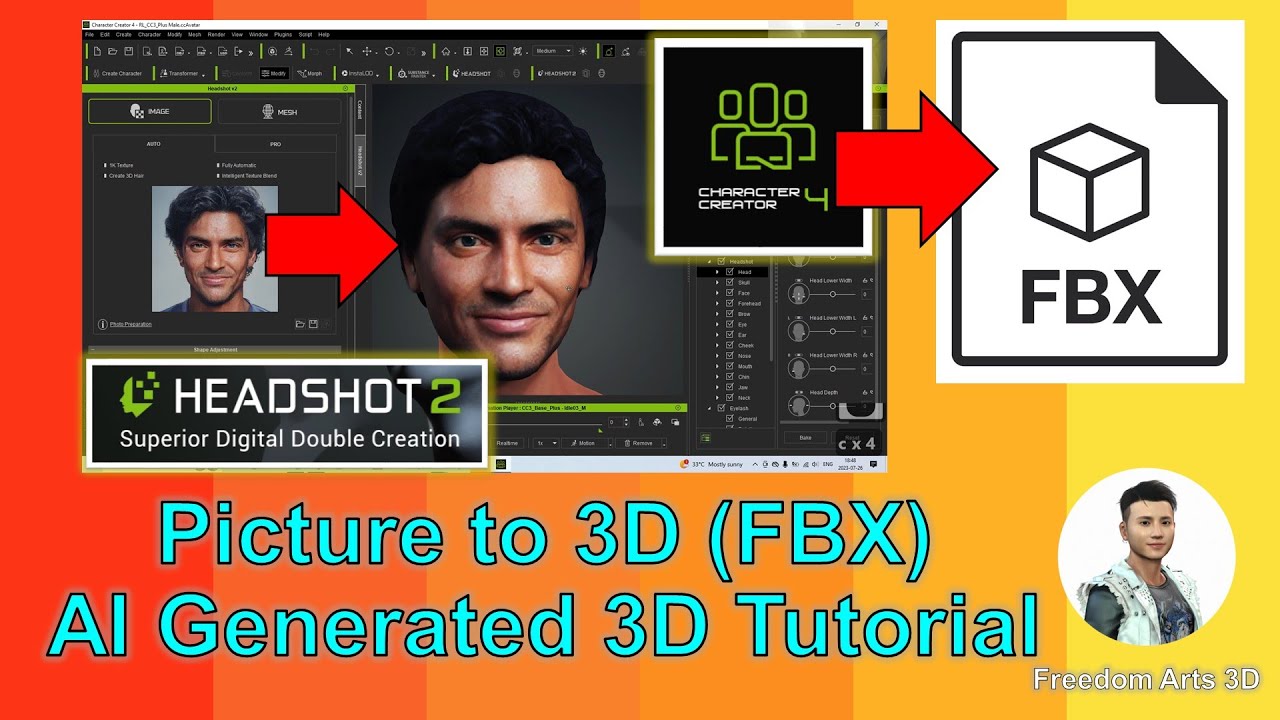
Picture to 3D Tutorial – AI Generated Model FBX – Character Creator 4 Headshot 2


Welcome to this exciting step-by-step tutorial on how to create 3D avatars (FBX) using only a single image (PNG/JPG) with Character Creator 4 and Headshot 2. If you’re interested in 3D modeling, 3D animation, and 3D game development, this video is for you! Happy 3D modeling! ENJOY!

What You Will Learn:
• How to convert a picture to a 3D avatar
• How to use the Character Creator (CC) and Headshot 2 plugin
• Skills in character making and converting pictures to 3D models

Links:
• Headshot 2 Plug-in for Character Creator: https://bit.ly/41q5JT6
• Character Creator 4: https://bit.ly/41tfvEp
• All iClone 8 and Character Creator 4 Software + Plugin + Contents: https://bit.ly/IC8CC4
• All 3D Software: https://freedom3d.art/download-all-3d-software/

Resources:
• Visit my website for more 3D resources: https://freedom3d.art/
• Join my Facebook group: https://www.facebook.com/groups/818222008952458
• Support my content: Donate through Gumroad https://freedomarts3d.gumroad.com/l/donate
• Donate through Patreon https://www.patreon.com/freedom3Dart

Contact Me:
• Email: [email protected]
• Send me a Facebook Message: https://www.facebook.com/messages/t/108187640914514

SUBSCRIBE to Freedom Arts – 3D Animation & Game Developer: https://www.youtube.com/@FreedomArts3D

Tags: #PictureTo3D #AIGeneratedModel #FBX #CharacterCreator4 #Headshot2 #3DAvatar #3DModeling #3DAnimation #3DGameDev #CharacterMaking #3DHumanAvatar #iClone8 #FreedomArts #VideoTutorial #3DSoftware #3DModels #AvatarCreation #PNGto3D #JPGto3D #CharacterCreatorPlugin #3DGameDevTutorials

source

7 responses to “Picture to 3D Tutorial – AI Generated Model FBX – Character Creator 4 Headshot 2”

  1. @shivam7156 Avatar

    can we make it more polished

  2. @Levi-samaa Avatar

    Thanks bro but is there any way to remove the hair and add it custom by self

  3. @Slava-kn3jf2hy7g Avatar

    Благодарю за интересное видео пояснение !

  4. @user-cj7gz5co8o Avatar

    請問人臉素材圖如何製作的呢??謝謝

  5. @bmdmix Avatar

    Is there a video to generate background for scenes for iclone

Leave a Reply

🧰 Recommended 3D Tools

💡 Tools I use in my workflow

Blender
The Core of all 3D Workflows

🎬iClone 3D Animation Software
Fast real-time animation

🎨Reallusion Character Creator
Create ready-to-use characters

🌳 iClone Tree Generator
Rigged FBX template for iClone, create animated trees from any PNG

🤖 AI Image → 3D Tools

Meshy AI
Turn images into 3D instantly

Tripo AI
Powerful AI 3D generator

SAM 3D
Another AI 3D tool

🌍 3D World Tools

Google Street View Download 360
Get real-world HDRI

Google Earth 3D Exporter
Extract real 3D maps

🔥 My Tool (Best for UE5)

Freedom Sky Light Plugin for UE5.7
Instant HDRI lighting in Unreal

Freedom Animation Pipeline 9.1 (UE5.7)
Any 3D → Unreal Engine (fast workflow)

🎨3D Character Creator

Character Creator (Reallusion)
Pro-level characters

Makehuman
Free open-source human creator

Vroid Studio
Anime-style character creation

Mixamo
Auto rig & animation setup

Fuse (Character Creator)
Simple human character creation