





• Search Keywords

  • Tutorial Type


  • Software


  • 3D Skill


🚀 Speed Up Your 3D Workflow

💡 Used in my tutorials
💡 Tools I personally use

Stop wasting time switching tools.
Use the exact tools from my tutorials.

Freedom Animation Pipeline 9.1 (UE5.7)
Fastest way: Any 3D → Unreal Engine
Get the Plugin

Character Creator 5 (CC5)
Create pro-level characters in minutes
Download / Buy

iClone 8 Animation Software
Real-time animation made easy
Download / Buy

Meshy AI (Image → 3D)
Turn any image into a 3D model instantly
Try Now!

Tripo AI (Image → 3D)
Powerful AI 3D generator
Try Now!

Stylized Characters Workflow | Face Tools Tutorial


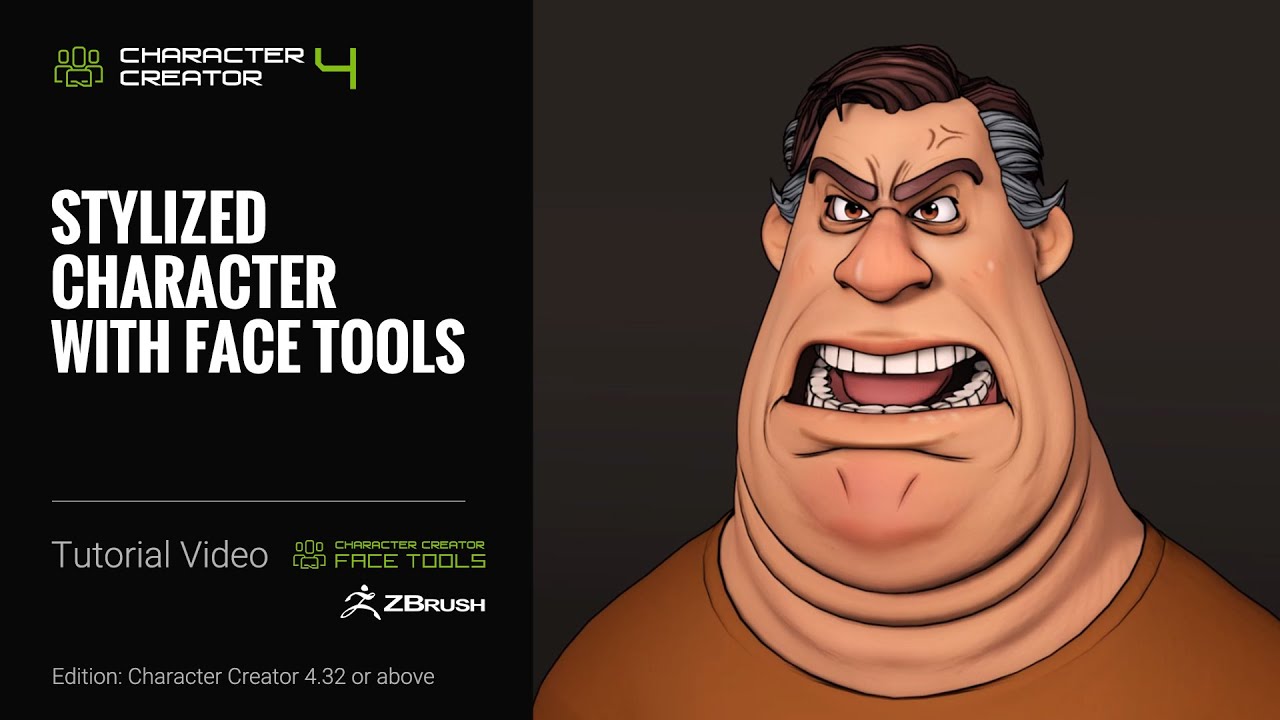
Face Tools is an innovative and powerful tool that helps make your Character Creator and ZBrush workflow even more efficient. In this tutorial, you’ll learn about how you can utilize the Toon Shader in Character Creator to start off a more stylized character approach, and then do some basic sculpting and Polypainting to add the finishing touches to give your character a more energetic and intense facial performance.

00:00 Intro
00:15 Toon Shader Settings & Zbrush Export
01:55 Painting Diffuse Map
02:49 Editing Expressions & Wrinkles

*Note: Assets shown in this tutorial serve only as reference material.

Character Creator 4 (CC4) is a full character creation solution for designers to easily generate, import and customize stylized or realistic character assets for use with iClone, Maya, Blender, Unreal Engine, Unity, Daz3D, 3dsMax, or any other 3D tools. CC4 connects industry-leading pipelines with one system for 3D character generation, animation rig, asset management, look-dev rendering, and interactive design.

✦WATCH MORE
Learn about Character Creator: https://www.reallusion.com/character-creator/default.html
Learn about Face Tools: https://www.reallusion.com/character-creator/zbrush/character-face-tools/default.html

#charactercreator #characterdesign #zbrush

source

15 responses to “Stylized Characters Workflow | Face Tools Tutorial”

  1. @cardermedia Avatar

    Looks great, but it's such a shame that you rely so much on ZBrush to fix Reallusion issues.

  2. @gingerbearhaus Avatar

    I assume none of this is exportable to Blender or Maya though eh? Since its using some sort of special shader to blend bedween textures for expression lines?

  3. @monaelbahrawi2956 Avatar

    Quality in cc4 are defferent in iclone i think cc4 use ray tracing or something wrong whith iclone
    I hop to update iclone and add raytrace, because i can't animate in another software ,, i love iclone
    And dont ferget kai to add light lincking as well

  4. @SeiGion Avatar
  5. @themightyflog Avatar

    Can you please do a subscription model option? I ain't got 3k to throw down today.

  6. @elvismorellidigitalvisuala6211 Avatar

    This is cool, mus tbe great if it work with expressions too, after export head for mesh to MH.

  7. @CanalDojogames Avatar

    Let me ask: how you guys rigged it? inside character creator? because i want to know how to use these rig face controls using stylized characters from zbrush. thank you

  8. @3DW3DTetKaneda Avatar

    Great contribution. Great tutorial. You have my like. Thank you so much. Greetings

  9. @VTV-Live Avatar

    Time to revaluate Reallusion, these are features I had always wished it had.

    Nice work!!

  10. @AngriestAmerican Avatar

    Great job! I like the cell shading!

  11. @nikosurfingYT Avatar

    Why z brush? It paid app, and aren't we need to spend another money for this?. Why not blender for free?

  12. @cthrower Avatar

    Z brush is fine. However, i would like to be able to do the same in CC without having to go to another app.

Leave a Reply

🧰 Recommended 3D Tools

💡 Tools I use in my workflow

Blender
The Core of all 3D Workflows

🎬iClone 3D Animation Software
Fast real-time animation

🎨Reallusion Character Creator
Create ready-to-use characters

🌳 iClone Tree Generator
Rigged FBX template for iClone, create animated trees from any PNG

🤖 AI Image → 3D Tools

Meshy AI
Turn images into 3D instantly

Tripo AI
Powerful AI 3D generator

SAM 3D
Another AI 3D tool

🌍 3D World Tools

Google Street View Download 360
Get real-world HDRI

Google Earth 3D Exporter
Extract real 3D maps

🔥 My Tool (Best for UE5)

Freedom Sky Light Plugin for UE5.7
Instant HDRI lighting in Unreal

Freedom Animation Pipeline 9.1 (UE5.7)
Any 3D → Unreal Engine (fast workflow)

🎨3D Character Creator

Character Creator (Reallusion)
Pro-level characters

Makehuman
Free open-source human creator

Vroid Studio
Anime-style character creation

Mixamo
Auto rig & animation setup

Fuse (Character Creator)
Simple human character creation