





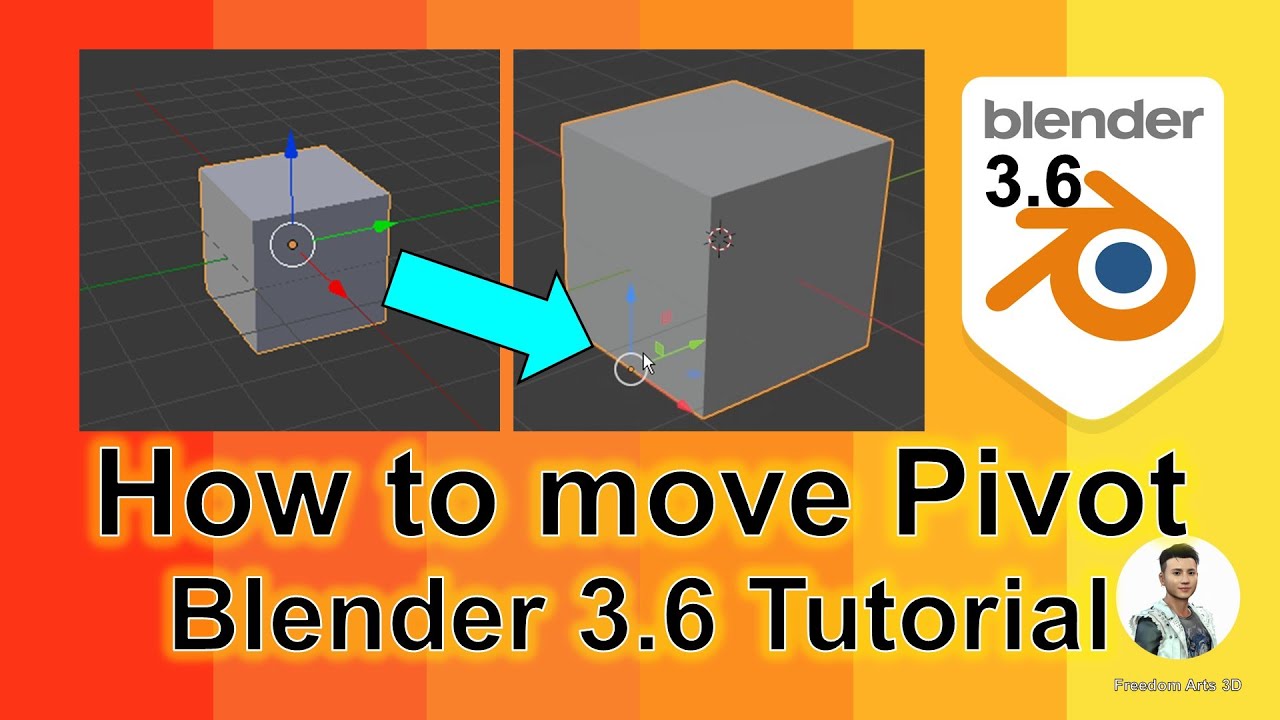
How to move pivot – Blender 3.6 Tutorial
Hey guys, how to move pivot location for any mesh in Blender 3.6? This is my step-by-step tutorial on how to do this! ENJOY! and have fun! Happy 3D Modeling, 3D Animation & 3D Game Dev! ENJOY!
DOWNLOAD Blender
https://bit.ly/DownloadBlenderFreedomArts
DOWNLOAD all 3D Software:
https://freedom3d.art/download-all-3d-software/
VISIT MY WEBSITE TO GET MORE 3D RESOURCES:
https://freedom3d.art/
FREEDOM ARTS 3D: 3D MODELING, 3D ANIMATION, 3D GAME DEV TUTORIALS, 3D CONTENTS, 3D MODELS COLLECTION!
SUBSCRIBE MY YOUTUBE CHANNEL FOR MORE 3D TUTORIALS & SHARING:
Freedom Arts – 3D Animation & Game Developer
My Youtube Channel URL: https://www.youtube.com/@FreedomArts3D
CONTACT ME:
My email: [email protected]
Send me a Facebook Message: https://www.facebook.com/messages/t/108187640914514
Join my Facebook group: https://www.facebook.com/groups/818222008952458
SUPPORT MY 3D CONTENTS & TUTORIALS SHARING:
Donate through Gumroad
https://freedomarts3d.gumroad.com/l/donate
Donate through Patreon
https://www.patreon.com/freedom3Dart
Blender 3.6, Pivot Location, 3D Modeling, Blender Tutorial, Mesh Editing, 3D Animation, Game Development, Blender 3D, 3D Game Dev, Step by Step Tutorial, 3D Art, Freedom Arts 3D, Blender Pivot Tutorial, 3D Design, 3D Models, Blender Animation, 3D Software, 3D Artist, Blender Beginner Tutorial, Blender Tips, Blender Tricks
#Blender36 #PivotLocation #3DModeling #BlenderTutorial #MeshEditing #3DAnimation #GameDevelopment #Blender3D #3DGameDev #StepByStepTutorial #3DArt #FreedomArts3D #BlenderPivotTutorial #3DDesign #3DModels #BlenderAnimation #3DSoftware #3DArtist #BlenderBeginnerTutorial #BlenderTips #BlenderTricks
🔥 Learn how to move the pivot location for any mesh in Blender 3.6 with this step-by-step tutorial! Master your 3D modeling skills, enhance your 3D animations, and boost your game development workflow. ENJOY and have fun with your 3D creations! 🎨
🔹 DOWNLOAD Blender 3.6 here:
https://bit.ly/DownloadBlenderFreedomArts
🔹 Explore MORE 3D Software options:
https://freedom3d.art/download-all-3d-software/
🚀 VISIT MY WEBSITE for more resources and 3D models collection:
https://freedom3d.art/
✨ FREEDOM ARTS 3D: Your hub for 3D MODELING, 3D ANIMATION, 3D GAME DEV TUTORIALS, 3D CONTENTS, and more!
👇 SUBSCRIBE TO MY YOUTUBE CHANNEL for more engaging 3D Tutorials & Resources:
Freedom Arts – 3D Animation & Game Developer
🔗 My Youtube Channel URL:
https://www.youtube.com/@FreedomArts3D
💌 CONTACT ME:
Email: [email protected]
Facebook Message: https://www.facebook.com/messages/t/108187640914514
Join Our Facebook Group: https://www.facebook.com/groups/818222008952458
💖 SUPPORT MY WORK and help me to continue creating amazing 3D content and tutorials:
Donate through Gumroad: https://freedomarts3d.gumroad.com/l/donate
Become a Patron: https://www.patreon.com/freedom3Dart
🏷️ Tags:
Blender 3.6, Pivot Location, 3D Modeling, Blender Tutorial, Mesh Editing, 3D Animation, Game Development, Blender 3D, 3D Game Dev, Step by Step Tutorial, 3D Art, Freedom Arts 3D, Blender Pivot Tutorial, 3D Design, 3D Models, Blender Animation, 3D Software, 3D Artist,
source

Leave a Reply
You must be logged in to post a comment.